 Special promotion !!!


 Product description
Shopping Guide
Product description
Shopping Guide
Main functions
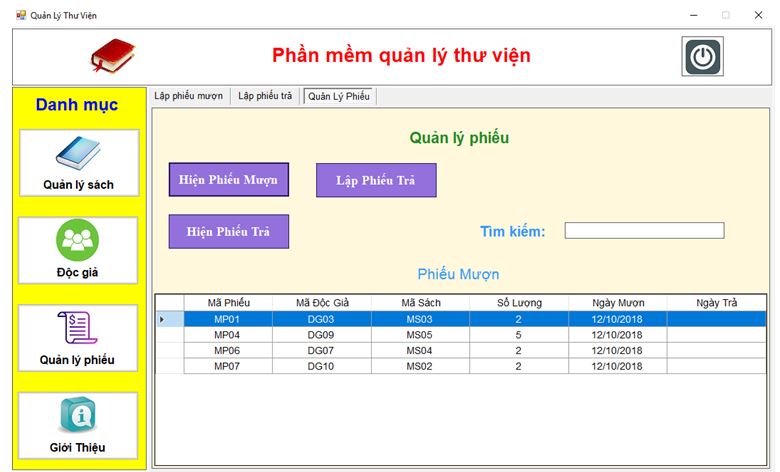
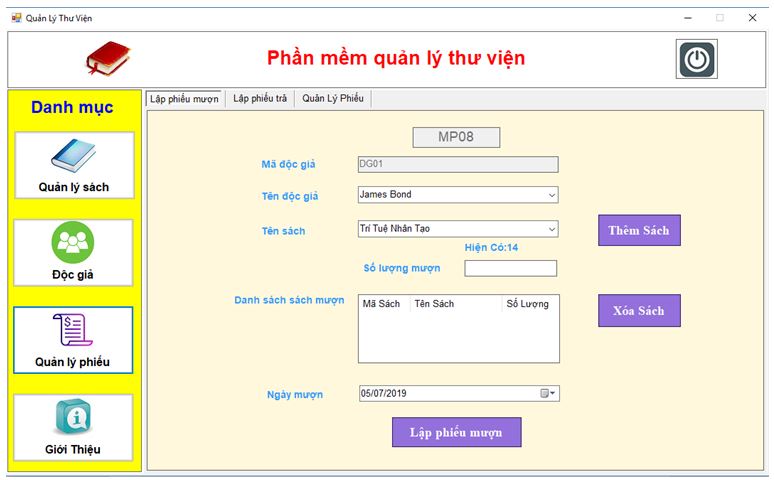
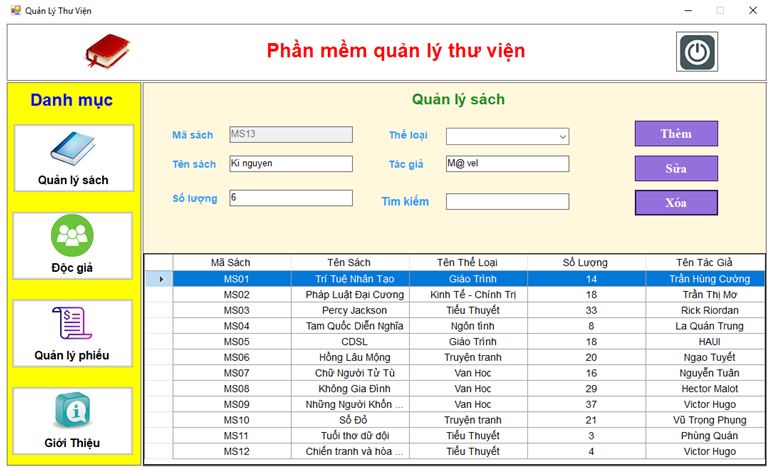
DigiLib is an online library management system (Library Management System) — allowing libraries (schools, private units) to manage publications, readers, borrow/return books, print barcodes...
For users/readers to search, view and download digital documents from the community digital library.
Support library operations such as: book cataloging, setting up registration codes, DDC 14 classification, printing barcodes...
Free, open source, can be downloaded and installed on hosting or used as a portable version running locally.
🛠 Technology used
Web platform running on PHP + MySQL/MariaDB — because the system is developed from open source software SLiMS (Senayan Library Management System, Indonesia) and localized/improved by the author.
The interface is in Vietnamese, designed to be friendly to library users (even those who are not good at computers).
Supports using barcodes, printing reports, managing documents and readers, classifying according to DDC 14...
Allows running on regular hosting or running directly on personal computers (localhost) or from USB - portable version.
💻 Install on computer / how to use
A. Install on hosting/domain (real web server)
Downlad the source code from DigiLib's "Download & Instructions" page.
Upload the .zip file to the root directory of domain/hosting.
Unzip the file, create a new database and user, grant permissions to the user.
Access domain/path /install to run the installation program. Enter database name, user, password.
After installation, delete or rename the /install folder for security.
Access Admin Panel (/admin) to log in - configure the library: name, language, library info.
B. Run locally (localhost) or from USB
Download the portable version (run immediately, no need for Internet connection) from the download page.
Unzip to a hard drive folder or USB.
Run .bat files such as 1.mariadb.bat, 2.httpd.bat (according to instructions).
📱 Device requirements & notes
Library users: a computer or device with a modern web browser, Internet connection or in the internal network if using the localhost version.
For libraries deploying hosting: hosting with PHP + MySQL/MariaDB, enough storage capacity (current description parameters: more than 16.4 GB of used resources)
When running locally or portable: a mid-range computer (RAM ≥ 4GB) is enough because the application mainly manages library data, without complex graphics.
If the number of documents is large or many people access at the same time, you should choose strong hosting with backup and good security.
Bước 1: Truy cập website và lựa chọn sản phẩm cần mua
Bước 2: Click và sản phẩm muốn mua, màn hình hiển thị ra pop up với các lựa chọn sau
Nếu bạn muốn tiếp tục mua hàng: Bấm vào phần tiếp tục mua hàng để lựa chọn thêm sản phẩm vào giỏ hàng
Nếu bạn muốn xem giỏ hàng để cập nhật sản phẩm: Bấm vào xem giỏ hàng
Nếu bạn muốn đặt hàng và thanh toán cho sản phẩm này vui lòng bấm vào: Đặt hàng và thanh toán
Bước 3: Lựa chọn thông tin tài khoản thanh toán
Nếu bạn đã có tài khoản vui lòng nhập thông tin tên đăng nhập là email và mật khẩu vào mục đã có tài khoản trên hệ thống
Nếu bạn chưa có tài khoản và muốn đăng ký tài khoản vui lòng điền các thông tin cá nhân để tiếp tục đăng ký tài khoản. Khi có tài khoản bạn sẽ dễ dàng theo dõi được đơn hàng của mình
Nếu bạn muốn mua hàng mà không cần tài khoản vui lòng nhấp chuột vào mục đặt hàng không cần tài khoản
Bước 4: Điền các thông tin của bạn để nhận đơn hàng, lựa chọn hình thức thanh toán và vận chuyển cho đơn hàng của mình
Bước 5: Xem lại thông tin đặt hàng, điền chú thích và gửi đơn hàng
Sau khi nhận được đơn hàng bạn gửi chúng tôi sẽ liên hệ bằng cách gọi điện lại để xác nhận lại đơn hàng và địa chỉ của bạn.
Trân trọng cảm ơn.
Technical specifications
Category: Source Software
Operating System: Linux CentOS 7
Configuration: 4 core 8 GB RAM
Language: C# Mysql
| Image | Product | Price | Action |
|---|